
Artificial Intelligence has rapidly shifted from cloud-only deployments to infrastructure that organizations can run entirely on-premises. Improvements in model efficiency, quantization techniques, and local inference frameworks have made it possible for businesses of all sizes to deploy capable AI systems without relying exclusively on external providers.
However, one question continues to surface in almost every conversation around private AI infrastructure:
How much hardware do you actually need?
The answer depends far less on marketing specifications and far more on understanding your workload. Many organizations overspend on compute they rarely utilize while underestimating the importance of memory capacity, storage architecture, and future scalability.
This guide explores how to think about AI infrastructure in 2026 and how to size a system that delivers real-world performance without unnecessary cost.
Why Local AI Is Growing
Organizations are increasingly evaluating local AI deployments for several reasons:
- Data privacy and regulatory compliance
- Reduced dependence on third-party services
- Predictable long-term operating costs
- Lower latency for interactive applications
- Ability to customize models and workflows
- Greater control over infrastructure and updates
For many businesses, the conversation is no longer about whether local AI is possible—it is about designing infrastructure that can support current requirements while remaining adaptable to future models.
Start With the Workload, Not the Hardware
One of the most common mistakes is selecting hardware before defining the workload.
A document analysis system, coding assistant, customer support chatbot, computer vision platform, and multi-user AI service all have dramatically different requirements despite being classified as "AI."
Before planning hardware, answer the following questions:
- How many users will access the system?
- Will it run continuously or occasionally?
- What model sizes are expected?
- Will the system process text only, or images and video as well?
- Is training required, or only inference?
- How much historical context must be retained?
- How quickly must responses be generated?
The answers determine infrastructure requirements far more accurately than benchmark charts.
Understanding the Four Core Components
Local AI infrastructure revolves around four primary resources:
- CPU
- GPU or Accelerator
- Memory (RAM)
- Storage
Each plays a different role. Let's break down exactly how to size them.
CPU
The CPU orchestrates the entire AI workflow.
While modern AI workloads often rely heavily on accelerators, CPUs remain responsible for:
- Data preprocessing
- Tokenization
- Retrieval pipelines
- API services
- Databases
- Vector search operations
- System management
For inference-focused deployments, CPU performance is important but rarely the primary bottleneck. Organizations frequently overspend on CPU cores while neglecting memory and accelerator resources. A balanced platform generally delivers better results than an extreme processor paired with insufficient memory.
However, there is one critical aspect of CPUs you cannot ignore: PCIe Lanes.
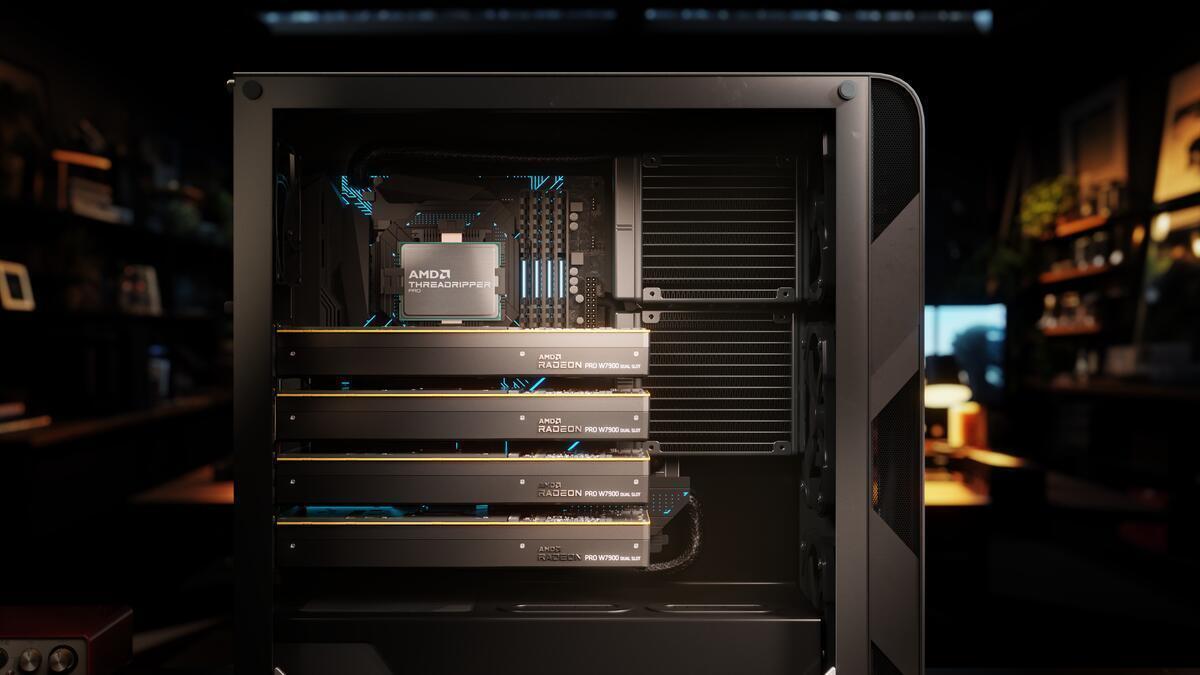
If you are building a multi-GPU system, consumer CPUs (like an Intel Core i9 or AMD Ryzen 9) typically cap out at 20 or 24 PCIe lanes. A single high-end GPU requires 16 lanes (x16) to run at full bandwidth. If you install two or more GPUs on a consumer motherboard, they will be severely bottlenecked.
This is why workstation-class CPUs, like AMD Threadripper Pro or Intel Xeon W-series, are mandatory for high-end AI servers. They provide over 128 PCIe lanes, allowing multiple GPUs to communicate at maximum speed without choking the system.
Why GPU Memory Matters More Than GPU Power
Many buyers focus on computational performance (TFLOPS) while overlooking the resource that often matters most:
Memory capacity (VRAM).
Modern language models consume significant memory for:
- Model weights
- Runtime buffers
- Context windows
- KV cache
- Concurrent sessions
As model sizes increase, available memory frequently becomes the limiting factor before raw computational throughput. A practical AI server with sufficient memory capacity often outperforms a theoretically faster system that constantly struggles to fit workloads into memory.
Sizing Your VRAM Needs: The Math
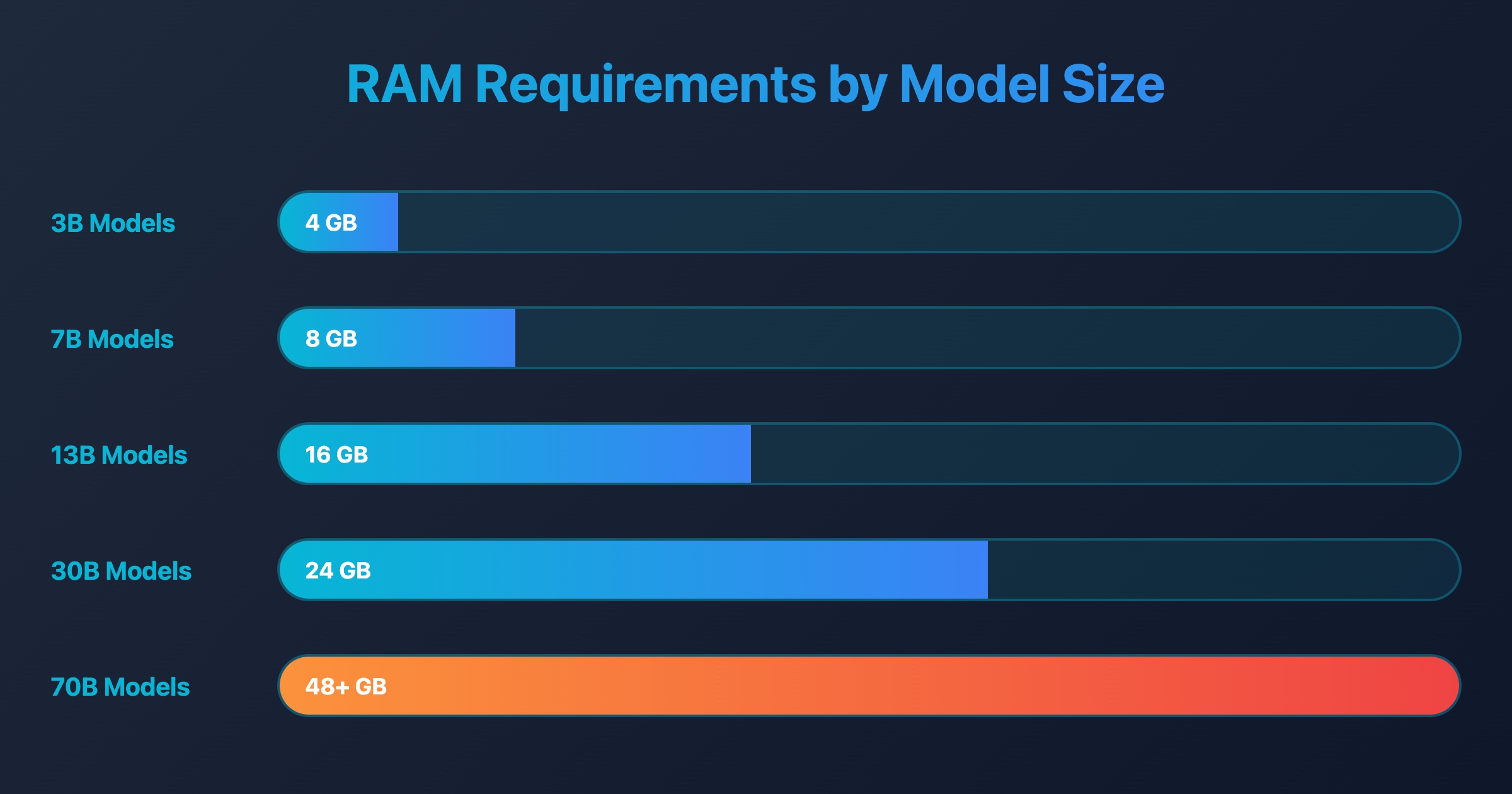
How do you know how much VRAM a model requires? You have to calculate the size of the parameters and the precision at which they are stored.
A model like a 70B parameter LLM has 70 billion parameters. In its raw, uncompressed state (FP16), each parameter is stored as 2 bytes:
- 70 billion parameters × 2 bytes = 140 Gigabytes of VRAM required.
This means running a raw 70B model requires massive enterprise GPUs. Fortunately, in 2026, we use Quantization.
The Impact of Quantization
Quantization compresses the model by reducing the precision of the parameters. Instead of storing a parameter as a 16-bit number, modern formats (like GGUF, EXL2, or AWQ) compress it down to 8-bit, 6-bit, or even 4-bit integers with minimal loss in quality.
If you run that same 70B model using 4-bit quantization:
- 4 bits = 0.5 bytes.
- 70 billion parameters × 0.5 bytes = 35 Gigabytes of VRAM required.
Suddenly, a massive model fits comfortably across two 24GB GPUs.
The Hidden Cost of Large Context Windows
Many organizations focus entirely on model size. In reality, context length can dramatically influence infrastructure requirements.
When you feed a document to an AI, it has to remember the conversation. This memory is stored in the KV Cache (Key-Value Cache).
A system processing:
- Long technical documents
- Engineering specifications
- Legal contracts
- Knowledge bases
- Research repositories
may consume far more memory than expected. A 32,000-token context window can easily consume an additional 10GB to 15GB of VRAM depending on the model architecture.
Longer context windows require additional runtime memory, increasing demands on both accelerators and system RAM. This becomes particularly important when multiple users access the same infrastructure simultaneously. Always leave a significant VRAM buffer above the raw model size.
How Much System RAM Is Enough?
System memory acts as the foundation that supports every other component.
RAM is used for:
- Operating system processes
- AI frameworks
- Databases
- Retrieval systems
- Vector indexes
- Model loading
- User sessions
- Background services
Insufficient memory often creates performance issues long before processor utilization becomes a concern.
Furthermore, if your GPU runs out of VRAM, inference engines like llama.cpp will offload the remaining model layers to your system RAM. Because system RAM is vastly slower than VRAM, your inference speed will drop significantly—but the model will at least successfully run and not crash.
A useful principle is:
Size memory for tomorrow's workload, not today's.
Always install at least double the amount of system RAM as you have GPU VRAM. If you have 48GB of VRAM across two GPUs, you should install 96GB to 128GB of system RAM.
Organizations commonly upgrade models over time, expand context windows, add additional users, and deploy new AI services. Memory headroom prevents costly infrastructure redesigns later.
Storage Is More Important Than Most People Think
AI deployments can consume significant storage surprisingly quickly.
Storage requirements include:
- Model repositories
- Quantized model variants
- Vector databases
- User uploads
- Knowledge bases
- Logs
- Backups
- Container images
An AI environment may eventually store multiple versions of the same model optimized for different workloads. A single high-quality model can be 50GB to 100GB in size.
Fast storage significantly improves:
- Model loading times
- Database responsiveness
- Retrieval performance
- System startup speed
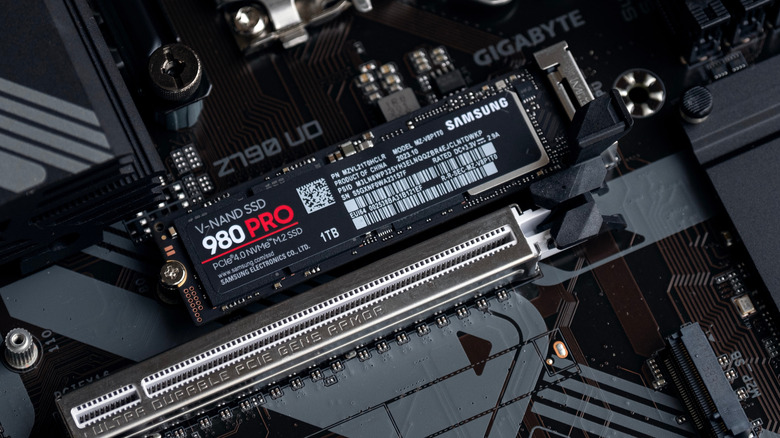
Storage should be viewed as an active component of the AI stack rather than merely a place to save files. Loading an 80GB model from a spinning hard drive will take minutes. Loading it from a Gen4 or Gen5 NVMe SSD takes seconds.
Use a fast NVMe drive for your primary models, and high-capacity SATA SSDs or NAS arrays for cold storage backups.
Inference vs Training
One of the biggest distinctions in AI infrastructure planning is understanding the difference between inference and training.
Inference
Inference means using an existing model to generate results.
Examples include:
- Chatbots
- Internal assistants
- Search systems
- Document summarization
- Coding assistants
Most organizations fall into this category.
Inference workloads generally require:
- Sufficient memory
- Reliable acceleration
- Fast storage
- Efficient software configuration
Training
Training involves creating or modifying models using large datasets.
Examples include:
- Custom model development
- Fine-tuning
- Domain adaptation
- Research workloads
Training demands significantly more:
- Compute resources
- Memory capacity
- Storage bandwidth
- Power
- Cooling
Many businesses discover they only need inference infrastructure despite initially planning for training-grade hardware.
Planning for Concurrent Users
Single-user testing can create misleading expectations.
A model that performs perfectly for one person may struggle when multiple users access it simultaneously.
Concurrency introduces additional demands:
- Larger memory consumption
- Increased cache requirements
- More storage activity
- Higher CPU utilization
- Greater networking demands
When sizing infrastructure, estimate future usage rather than current usage. A system that supports five users today may need to support fifty tomorrow.
Power Delivery and Thermals
Do not underestimate the physical realities of local AI.
A system with dual high-end GPUs, a workstation CPU, and multiple drives can easily pull over 1500 watts under sustained load.
Always buy a Power Supply Unit (PSU) with at least 20% to 30% more capacity than your maximum estimated draw. For multi-GPU setups, a 1600W Titanium-rated power supply is standard.
Cooling is equally critical. If you are stacking multiple GPUs, you must seek out Blower-style GPUs. Standard consumer GPUs exhaust heat into the case, which will quickly choke the top GPU with hot air, leading to severe thermal throttling. Blower cards force 100% of the exhaust heat directly out the back of the case.
Future-Proofing Without Overspending
Future-proofing does not mean purchasing the largest possible server.
It means selecting a platform that can evolve.
Look for:
- Memory expansion options
- Additional storage capacity
- Accelerator upgrade paths
- Standardized components
- Mature software ecosystems
- Ample PCIe lane availability
Infrastructure should grow incrementally rather than require complete replacement every few years. The most successful AI deployments are usually built around scalability and flexibility rather than maximum specifications.
Common Mistakes Organizations Make
Buying Too Much CPU
More cores do not automatically improve AI performance. Many workloads are constrained elsewhere.
Ignoring Memory Requirements
Memory shortages frequently become the first major bottleneck.
Underestimating Storage Growth
Models, datasets, embeddings, and backups consume space rapidly.
Designing Only for Current Needs
Infrastructure should accommodate future workloads and users.
Focusing Exclusively on Benchmarks
Real-world performance depends on the entire platform, not a single specification.
A Better Way to Think About AI Infrastructure
Instead of asking:
What hardware should I buy?
Ask:
What workload am I trying to support?
Once workload requirements are understood, hardware decisions become significantly easier.
Successful AI infrastructure is rarely the most expensive system available. It is the system that provides the right balance of compute, memory, storage, scalability, and reliability for the intended use case.
Final Thoughts
Running AI locally in 2026 is more accessible than ever. Advances in model efficiency and deployment tools have lowered the barrier to entry, making private AI infrastructure viable for organizations of all sizes.
The key is resisting the temptation to size infrastructure based on marketing specifications alone.
Focus on workloads, memory requirements, storage architecture, concurrency, and future growth. A balanced platform built around real operational needs will consistently outperform an oversized system designed around benchmark numbers.
In AI infrastructure, the goal is not to buy the biggest machine.
The goal is to build the right one.