
Artificial Intelligence has transformed GPU selection from a simple graphics decision into a critical infrastructure choice. Businesses building AI workstations, local LLM servers, computer vision platforms, and private AI infrastructure are often faced with a confusing question:
Should we buy consumer RTX GPUs, professional RTX PRO GPUs, or enterprise datacenter accelerators?
The answer isn't simply about performance. It involves reliability, memory capacity, software support, virtualization, scalability, deployment environment, and total cost of ownership.
Many organizations overspend on enterprise hardware they don't need, while others build production systems on consumer hardware that eventually becomes a critical bottleneck.
This guide explains the architectural and operational differences that actually matter when selecting GPUs for AI workloads in 2026.
Understanding the Three GPU Categories
Today's AI hardware market can be broadly divided into three distinct silicon tiers:
Consumer GPUs (RTX Series)
Designed primarily for gaming and high-end consumer content creation (e.g., RTX 4090, RTX 5090).
- Typical Users: Developers, researchers, small businesses, and AI enthusiasts.
- Primary Strengths: Exceptional price-to-performance ratio, massive availability.
- Primary Weaknesses: Thermal limitations in dense environments, capped VRAM capacity.
Professional GPUs (RTX PRO / Ada Generation)
Designed for engineering applications, CAD, simulation, and business-critical workstations (e.g., RTX 6000 Ada).
- Typical Users: Enterprise workstations, manufacturing companies, design firms.
- Primary Strengths: Massive VRAM density per card, blower-style cooling, certified reliability.
- Primary Weaknesses: Higher cost per TFLOP compared to consumer equivalents.
Datacenter GPUs (Tensor Core / Hopper / Blackwell)
Designed specifically for massive-scale AI training, HPC, and cloud infrastructure (e.g., H100, B200).
- Typical Users: AI startups, cloud providers, and hyperscalers.
- Primary Strengths: Infinite scalability via NVLink/InfiniBand, HBM memory bandwidth, multi-tenant virtualization.
- Primary Weaknesses: Extreme cost, extreme cooling and power requirements.
Despite sharing similar underlying architectures, these categories serve very different deployment models.
The Biggest Myth: More Expensive Does Not Always Mean Better
One of the most common misconceptions is that a datacenter GPU is automatically the best choice for AI.
In reality:
- A local AI coding assistant may perform perfectly on a consumer GPU.
- A local RAG (Retrieval-Augmented Generation) pipeline for corporate documents may benefit immensely from the VRAM density of RTX PRO.
- A multi-user, customer-facing AI service will absolutely require datacenter hardware.
The correct choice depends entirely on workload requirements. Before diving into specifications, we need to define what actually bottlenecks AI performance.
What Determines AI Performance?
For most modern AI workloads, performance is restricted by five major factors:
- VRAM Capacity: Can the model and its context window fit into memory?
- Memory Bandwidth: How fast can the VRAM feed the processor? (e.g., GDDR6X vs HBM3e)
- Compute Throughput: How many floating-point operations can the cores execute per second?
- Software Ecosystem: Are the drivers stable and frameworks optimized?
- Interconnect Scalability: How fast can multiple GPUs talk to each other?
Interestingly, raw GPU compute power is rarely the primary limitation. Memory capacity frequently becomes the bottleneck first.
VRAM: The Most Important Specification
When running AI models locally, the absolute first question must be:
Can the model fit into memory?
Every AI workload consumes VRAM for:
- Model weights
- Context windows (The KV Cache)
- Runtime buffers
- Multiple user sessions
If a model doesn't fit into available memory, performance collapses. The inference engine is forced to offload layers to system RAM or storage, dropping token generation speeds from milliseconds to seconds. This is why VRAM capacity often matters more than raw benchmark scores.
Why AI Buyers Obsess Over VRAM
A larger model—or a longer context window—requires exponentially more memory. Organizations frequently purchase theoretically "faster" GPUs only to discover that VRAM limitations prevent them from running their desired models efficiently.
This creates an important infrastructure principle:
A slower GPU with sufficient memory will always outperform a faster GPU with insufficient memory.
When planning AI infrastructure, VRAM calculation must precede compute calculation.
Consumer RTX GPUs: The Entry Point
Consumer RTX cards (like the RTX 4090 or RTX 5090) have become the undisputed entry point for local AI.
The Advantages
- Unbeatable Price-to-Performance: You get massive computational power at a fraction of enterprise pricing.
- Software Ecosystem: Deeply supported by PyTorch, TensorFlow, and local inference engines like vLLM or llama.cpp.
- Availability: Easy to procure and replace.
The Engineering Limitations
Consumer hardware was never designed for datacenter environments. When scaling up, you will hit physical walls:
- Axial Cooling Issues: Consumer GPUs exhaust heat in all directions. If you stack two or more consumer GPUs closely together in a workstation or server, the bottom GPU will suffocate the top GPU with 80°C exhaust air, leading to severe thermal throttling.
- VRAM Caps: Consumer GPUs are typically capped at 24GB of VRAM. This is plenty for gaming, but highly restrictive if you want to run an unquantized 70B model.
- No Enterprise Validation: They lack Error Correcting Code (ECC) memory, meaning long-running AI training jobs are susceptible to silent data corruption from memory bit-flips.
Best For: Experimentation, local LLMs, coding assistants, proof-of-concepts, and personal AI workstations.
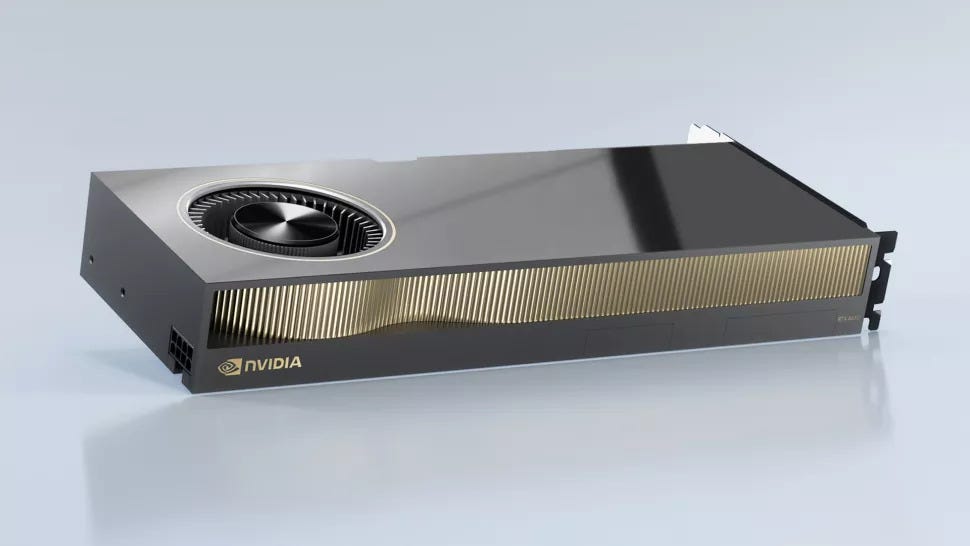
RTX PRO GPUs: The Professional Bridge
Professional GPUs (like the RTX 6000 Ada generation) occupy the critical middle ground between consumer workstations and server racks.
These GPUs target environments where downtime is expensive, physical density is required, but a full datacenter rollout is overkill.
What Makes RTX PRO Different?
The differences lie in the physical and operational engineering:
- Blower-Style Cooling: Unlike consumer cards, RTX PRO cards use a blower fan that exhausts 100% of the hot air directly out the back of the chassis. This allows you to stack four of them side-by-side in a workstation without thermal throttling.
- Massive VRAM Density: While consumer cards stop at 24GB, RTX PRO cards offer 48GB of VRAM per card. A four-GPU workstation provides 192GB of VRAM, allowing you to run massive models entirely locally.
- ECC Memory: PRO cards feature ECC memory, ensuring that continuous, multi-day inference or training jobs do not crash due to memory errors.
- Certified Drivers (ISV): Guaranteed stability for mission-critical engineering, CAD, and visualization software alongside AI workloads.
Best For: Dense multi-GPU workstations, corporate AI servers, engineering firms, and environments that demand continuous 24/7 uptime without a server room.
Datacenter GPUs: The Scale-Out Powerhouses
Datacenter accelerators (like the H100 or B200) are purpose-built for massive-scale compute. They do not have display outputs. They are purely mathematical engines designed to sit inside climate-controlled server racks.
What Makes Datacenter GPUs Special?
Datacenter hardware breaks the physical limits of standard computing:
- HBM (High Bandwidth Memory): Instead of standard GDDR memory, datacenter cards use HBM3e. This provides extreme memory bandwidth (terabytes per second), vastly accelerating the token generation speed for large models.
- Interconnect Scaling (NVLink/NVSwitch): Datacenter GPUs are designed to act as a single massive brain. Using NVLink and NVSwitch, up to 256 GPUs can communicate with each other at speeds far exceeding standard PCIe limits, sharing memory pools seamlessly.
- Hardware Virtualization (vGPU/MIG): Multi-Instance GPU (MIG) technology allows a single datacenter GPU to be securely partitioned into multiple smaller, isolated GPUs. This is critical for cloud providers or enterprises serving dozens of different user workloads simultaneously.
- Form Factor (SXM vs PCIe): While PCIe versions exist, high-end datacenter GPUs use the SXM form factor, drawing upwards of 700 watts per chip and requiring custom server mainboards with specialized liquid or high-velocity air cooling.
Best For: Customer-facing production AI services, large-scale LLM training clusters, cloud providers, and enterprise multi-tenant environments.
AI Development vs AI Production
This distinction is the most common failure point in infrastructure planning.
AI Development
Development workloads involve experimentation, testing, benchmarking, and local inference. The primary goals are flexibility and fast iteration at a low cost. For this phase, Consumer RTX hardware is exceptionally capable.
AI Production
Production environments are entirely different. A production AI service may handle hundreds of concurrent users, requiring continuous uptime, high availability, and strict latency guarantees. For production, the reliability, virtualization, and scalability of RTX PRO or Datacenter hardware becomes mandatory.
The Hidden Cost: Infrastructure and TCO
Many organizations underestimate total infrastructure costs by only looking at the price of the GPU.
Acquisition cost is just the beginning. You must also calculate:
- Power Delivery: Datacenter GPUs require dedicated 240V circuits and massive UPS capacity.
- Cooling: A single 8-GPU server can generate as much heat as an industrial space heater.
- Networking: Multi-node clusters require expensive InfiniBand or 400GbE networking.
- Licensing: Enterprise virtualization often requires specialized software licensing.
The Total Cost of Ownership (TCO) for a datacenter deployment is exponentially higher than a dense RTX PRO workstation.
Which GPU Category Should Your Business Choose?
Choose Consumer RTX If:
- You are experimenting with AI or building proof-of-concepts.
- You need high-performance local inference for individual developers.
- You are building single-user AI workstations.
- You have a strict budget and prioritize performance-per-dollar.
Choose RTX PRO If:
- You need massive VRAM (48GB+ per card) without investing in datacenter servers.
- You are stacking multiple GPUs in a single machine (blower coolers required).
- You run long, continuous jobs that require ECC memory stability.
- Downtime is costly, and you value certified drivers and enterprise support.
Choose Datacenter GPUs If:
- You are serving production AI models to hundreds or thousands of users.
- You require cluster-level scalability across multiple server nodes.
- You need advanced hardware virtualization (MIG) to split resources.
- AI is the core, mission-critical infrastructure of your business.
The Redline Systems Perspective
One of the most frequent mistakes we see organizations make is purchasing hardware based purely on marketing benchmark charts rather than their actual operational workloads.
The right AI platform is not automatically the most powerful or expensive GPU available. It is the platform that perfectly balances compute, memory density, thermal design, and total operational cost.
For many businesses, a well-engineered workstation with RTX PRO cards can deliver enterprise-grade results without the massive complexity and overhead of a datacenter infrastructure rollout. For others, production-grade datacenter hardware is required from day one.
Understanding that distinction is the key to building successful, sustainable AI infrastructure.
Are you planning an AI hardware deployment? Reach out to our engineering team to design infrastructure perfectly matched to your specific models and workloads.