Most people don't think about backups until they need one. By then it's too late to fix the mistake.
The 3-2-1 rule isn't new and isn't clever. It's just a simple answer to one problem: a single copy of important data is one bad day away from being gone.
The rule itself
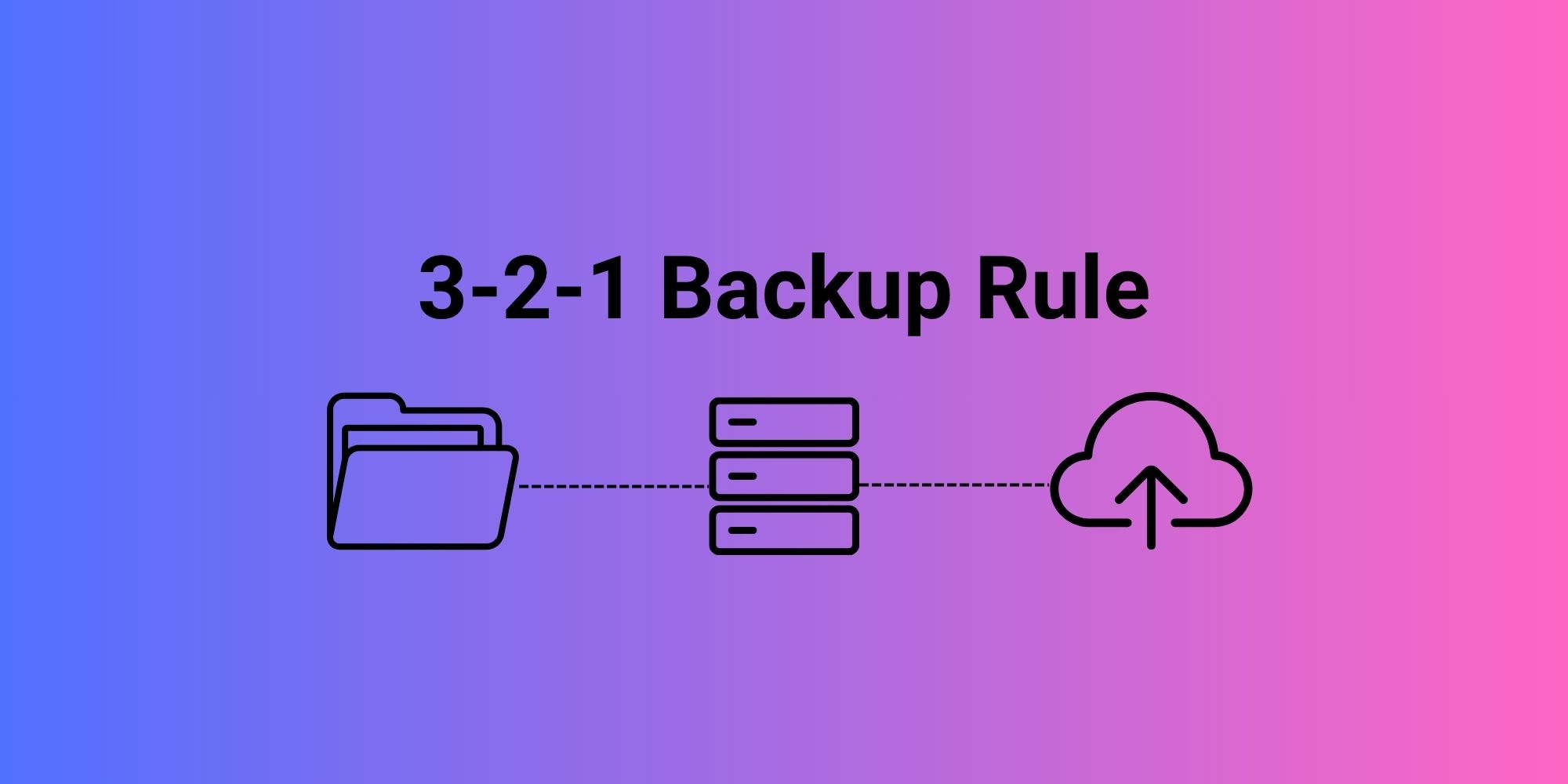
Keep 3 copies of your data, on 2 different types of media, with 1 copy stored offsite.
That's it. Each part covers a different way things go wrong.
Three copies. The original, plus two backups. If one copy gets corrupted or deleted, you've still got two more chances.
Two media types. Don't put all three copies on the same kind of storage. If everything lives on identical drives in the same enclosure, a single firmware bug or controller failure can take out more than one copy at once.
One offsite copy. Fire, theft, flood, a power surge that fries every drive in the room. None of these care how many copies you have if they're all in the same building. Offsite is what survives the building.
Backup is not the same thing as sync
This trips people up constantly. Dropbox, Google Drive, OneDrive: these sync changes across devices. They don't protect you from yourself.
Delete a file on your laptop with sync running, and it disappears from the cloud copy too, often within seconds. Get hit by ransomware and the encrypted files sync right along with everything else. Sync is fast. That's the problem. It's exactly as fast at spreading damage as it is at spreading updates.
A real backup needs to hold onto old versions and deleted files independently of whatever just happened to the source.
RAID is not backup either
This one gets argued about a lot, so it's worth being direct: RAID keeps a system running when a drive fails. That's all it does.
Delete a file on a RAID array and it's deleted across the whole array, instantly, on every disk. Same with ransomware encryption, same with a bad write from a buggy application. Mirroring isn't protection against you, or against malware, or against a controller writing garbage to every disk because of a firmware bug. It's protection against one specific kind of hardware failure and nothing else.
If your "backup" is a mirrored ZFS pool with no second target, you don't have a backup. You have one array.
What actually needs backing up
Anything you'd struggle to recreate: client records, accounting data, source code, project files, photos and video, VM images, configuration files, databases. The test is simple: if losing it would cost you real time or money, it needs a backup plan. If it's disposable (cache files, OS installs you can redownload), it doesn't.
Snapshots help, but they're not the whole answer
A snapshot freezes a point in time on the same storage system. They're cheap to take and great for recovering from "I deleted the wrong folder" or "this file got corrupted yesterday."
But a snapshot living on the same NAS as your data dies with that NAS. If the array fails, gets stolen, or burns, every snapshot on it goes too. Snapshots are a layer in a backup strategy, not a replacement for one.
Ransomware changed the calculus
A constantly-connected, fully writable backup target is a liability now. If ransomware compromises the source system and has write access to the backup too, it can encrypt both.
This is why backup design has shifted toward immutable storage, version retention, and offline or air-gapped copies, something a compromised account can't reach or overwrite even with valid credentials. If your backup account is the same account that got phished, your backup isn't safe.
RPO and RTO: the two numbers that actually matter
Recovery Point Objective (RPO). How much data can you afford to lose? If your last backup ran 24 hours ago and the system dies now, you've lost a day. For a personal photo library that might be fine. For an active client database, it's not.
Recovery Time Objective (RTO). How long can you be down? A local NAS restore might take an hour. Pulling a full system back down from cloud storage might take a day, depending on your upload speed when the original backup ran and your download speed now.
These two numbers should drive your backup frequency and your choice of storage target, not the other way around.
Picking your two media types
There's no universally correct combination. It depends on what you're protecting and how fast it changes.
- SSD: fast, good for active working data and quick restores, costs more per TB
- HDD: cheap per TB, good fit for backup targets and archives where speed matters less
- NAS: centralizes storage, handles snapshots and scheduled jobs well
- Cloud: the easiest way to get real geographic separation without managing a second physical site
A common, sane setup: working data on SSD, local backup to a NAS with HDDs, offsite backup to cloud. Three copies, two media types, one offsite, done.
Retention: how far back can you go?
Short retention windows fail silently. If malware sits undetected on a system for two weeks before triggering, and you only keep seven days of backups, every copy you have is already infected by the time you notice.
Keep recent backups for fast day-to-day recovery, and older ones further back for the slow-burn problems you don't catch right away.
Untested backups are a guess, not a plan
A backup you've never restored from is a hope, not a system. Test actual restores: individual files, full folders, and at least once, a complete system recovery. Do it on a schedule, not just when something breaks.
What you're actually verifying: the data is readable, the credentials still work, the process doesn't silently fail halfway through, and the restore finishes in a time you can live with. Plenty of backup failures only get discovered during an actual emergency, which is the worst possible time to find out.
The 3-2-1-1-0 extension
Some people now add two more numbers to account for ransomware and silent corruption:
- 1 offline or immutable copy that nothing on the network can touch or encrypt
- 0 errors after verification, meaning you actually checked
The "0" is the part most setups skip. A backup job that completed without errors and a backup job that can actually restore your data are not the same claim.
The mistakes that show up most often
Keeping one copy and calling it done. Storing every copy in the same room. Relying on sync as if it were backup. Never testing a restore. Skipping offsite entirely because it's inconvenient. Leaving the backup account with the same access a compromised system could reach. Not writing any of it down, so the one person who understands the setup becomes a single point of failure too.
Most of these aren't technical problems. They're the result of setting backups up once and never looking at them again.
How we approach this at Redline Systems
Most setups we walk into already have one piece of this in place, usually the RAID array, and nothing else. The owner assumes the mirrored pool is the backup. It isn't, and that conversation is usually the first thing we have to have.
What we actually spec depends on how the data is used, not just how much of it there is. A diagnostic center generating imaging data every day needs a tight RPO and a local restore that's fast, because re-scanning a patient isn't an option. A design studio with large project files cares more about version history than restore speed, since the failure mode is usually "the client wants the file from three revisions ago," not a full system loss. Those two setups shouldn't look the same, even if the total storage is similar.
In practice that usually means a NAS running ZFS with scheduled snapshots for the fast local-recovery layer, a second target (another NAS at a different site, or a cloud bucket) for the offsite copy, and credentials on the backup target that are separate from whatever runs day to day, so a compromised admin account on the main system can't also reach the backup. None of this is exotic. It's just rarely set up correctly the first time, because most builds stop at "we have a RAID array" and call it done.
The short version
Three copies. Two kinds of media. One copy somewhere else. Test it, or you don't actually know if it works.
Everything past that, snapshots, immutability, retention policy, RPO and RTO targets, is refinement. The 3-2-1 rule is the floor, not the ceiling.